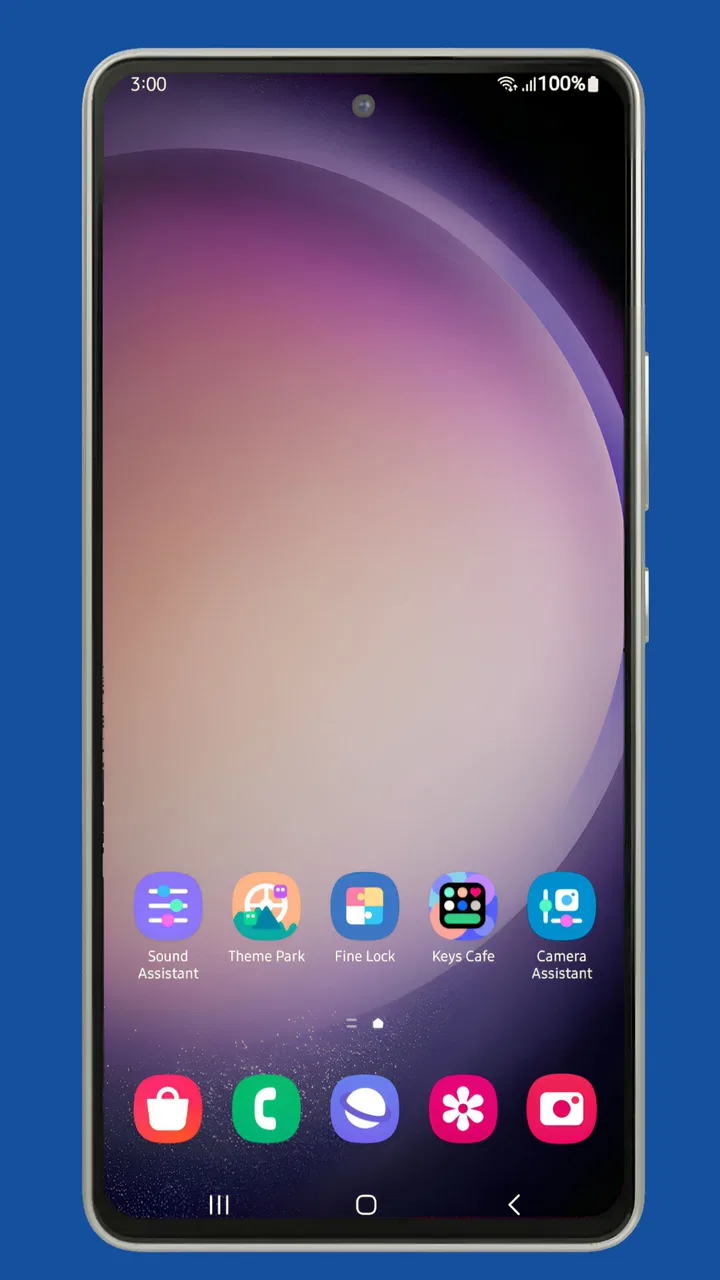
Fine Lock (only for Samsung)
- 4.4
- Rating
- 10.00M
- Installs
- Free
- Price

 Analysis by App-foxy
If you use a Samsung Galaxy phone and enjoy adjusting the way it behaves, Fine Lock is one of those small utilities that can make the phone feel much more personal. I found its main value in removing the awkward part of Samsung’s customization ecosystem: finding and opening the separate Good Lock and Good Guardians modules. Instead of treating those modules as scattered tools, it gives them a single place to launch.
My overall view is simple: Fine Lock is most useful as an organized doorway into Samsung’s advanced customization tools, not as a replacement for those tools themselves. It does not magically add every option to every Galaxy device, and it cannot turn a non-Samsung phone into a compatible one. When your phone supports the modules you want, though, the convenience is real.
What Fine Lock actually does for a Samsung phone
Fine Lock is a free personalization app from YUH APPS. Its purpose is focused: it acts as a launcher for Samsung Good Lock and Good Guardians modules, while keeping the experience free from advertising. That narrow role is important because it sets the right expectation. You are not installing one giant customization suite with every feature built in. You are installing a cleaner way to reach Samsung’s separate modules.
You May Also Like

 Blood Strike: 2.5 Anniversary
Blood Strike’s Loadouts Turn Every Drop Into a Tactical Gamble
A close look at Blood Strike’s custom loadouts: how fast access to signature weapons reshapes its battle royale rhythm, rewards preparation, and narrows the gap between fights.

 Pandora - Music & Podcasts
Pandora’s Music Is Easy to Start, but Harder to Recover
Pandora’s strength is its low-effort path from a seed to a station. Its weak spot is how much confidence it asks you to place in connection, setup, and quiet recovery.

 8 Ball Pool
 Is Built on Rivalries, Rematches, and Routine
A close look at the rivalries, rematches, shared routines, and unanswered safety questions that turn a quick pool match into a persistent mobile community.

 Samsung Music
’s Quiet Strength Is Playing What You Already Own
Its reach comes less from spectacle than from dependable access to a personal library. That simplicity is both the app’s strongest retention engine and its ceiling.

 AccuWeather: Weather Radar
AccuWeather Review: A Quick, Clear Forecast for Everyday Decisions
For everyday plans, the best forecast is the one you can understand quickly. AccuWeather makes rain timing, radar, and local conditions easy to act on, with a few trade-offs.

 Hill Climb Racing
Why Hill Climb Racing Still Turns Crashes Into One More Run
A tiny car, a bumpy hill and one more upgrade: Hill Climb Racing keeps resurfacing because its simple chaos makes every near-miss feel personal.
More From Our News Desk



In daily use, that distinction makes sense. Samsung’s customization options are powerful, but they are divided into individual components. If I want to explore a different part of the interface or device behavior, I would rather open one catalog and choose the relevant module than search around manually. Fine Lock turns that process into a more understandable routine, especially for anyone who has installed several Samsung tools over time.
The app belongs in the personalization category, but its usefulness is practical rather than decorative. It is not primarily about wallpapers, icon packs, or visual themes. Instead, it helps you reach deeper controls that can change how your Samsung phone feels in ordinary use. That makes it a good fit for people who like to tune their device gradually rather than accept every default setting.
The app has been available since June 11, 2019, and its continued popularity is easy to understand. It has passed over ten million installs, with an average rating of 4.5 from roughly fifty-eight thousand ratings. Those figures do not guarantee that it will solve every compatibility problem, but they do suggest that the basic idea has remained useful to a large Samsung audience.
The strongest part is the simple access point
What impressed me most is not a flashy feature. It is the way Fine Lock reduces friction. Samsung module users often need to think in terms of several small utilities, each with its own purpose. Fine Lock gives that collection a more coherent starting point, so the phone’s customization options feel less fragmented.
This is especially helpful when you are experimenting. I often prefer to make one change, live with it for a day, and then decide whether another adjustment is worthwhile. A central launcher supports that kind of cautious workflow. I can return to the list, open another module, and compare the result without relying on memory or hunting through unrelated app screens.
Another practical strength is that the app does not cover the experience with advertisements. That matters more here than it might in a casual utility. A launcher is something I may open briefly and repeatedly, so an interruption or an aggressive promotional screen would make the whole process feel heavier. Fine Lock’s ad-free approach keeps its role clear: open the tool I need and get out of the way.
There is also a useful separation between Fine Lock and the modules themselves. If I decide that a particular Samsung customization tool is not for me, I can stop using that module without abandoning the launcher. Conversely, if I discover a new module that suits my habits, Fine Lock remains a familiar place to begin. That modular relationship is more flexible than an all-in-one customization app that forces every option into one crowded interface.
A realistic everyday workflow
Imagine that I use my Galaxy phone for work during the day and personal tasks at night. I may want a restrained layout while I am working, quicker access to certain controls, and a more comfortable arrangement when reading or watching content later. Rather than changing everything at once, I can use Fine Lock as my starting point for the relevant Samsung modules, adjust one area, and then return later if the result is not comfortable.
The useful insight here is to treat the app as a control panel for experiments, not as a reason to modify every available setting. Samsung’s deeper options can be tempting because there are many ways to personalize a phone. Fine Lock makes discovery easier, but good results still come from changing only what solves a real annoyance. If a setting does not improve a repeated task, I would leave it alone.
That approach also makes troubleshooting easier. When the phone starts behaving differently after a customization, I can remember which module I opened most recently and test that change first. A scattered collection of separately launched tools makes that mental record harder to maintain. Fine Lock does not diagnose problems for me, but its organized entry point encourages a more controlled process.
Where the experience needs patience
The biggest limitation is that Fine Lock depends on the Samsung modules and on the compatibility of the phone. It is designed for Samsung devices, and the experience is not meant for someone using a Pixel, iPhone, or another Android brand. Even on a Galaxy phone, the module that looks interesting may not be available or may not behave identically across different software configurations.
This is the point at which some users may feel disappointed. Fine Lock can present a route to a module, but it cannot guarantee that every route leads to a useful result on every Samsung model. The app is therefore better understood as an organizer than as a universal compatibility layer. Before spending time planning a particular customization, I would check whether the Samsung module actually suits the phone and software version in use.
There is another kind of friction: Fine Lock itself may be the easiest part of the process, while the modules require more attention. A person who wants one switch that instantly redesigns the entire phone may find the overall system too involved. The launcher helps with access, but it does not remove the learning curve that comes with advanced settings.
I also would not recommend installing modules simply because they appear in a list. Some options are valuable only when they address a specific habit, such as the way you navigate, organize controls, or use the interface. If you prefer Samsung’s default experience and rarely adjust settings, Fine Lock can feel like an extra layer rather than a benefit.
Who should use it, and who should skip it
Fine Lock is a strong match for Samsung owners who already know that Samsung’s deeper customization tools exist and want a cleaner way to reach them. It is particularly suitable for methodical users: people who enjoy testing one adjustment at a time, keeping a preferred layout, or making a phone fit a particular routine.
It is also useful for someone helping a family member organize a Galaxy phone. Instead of explaining where several separate customization tools live, I could point to one launcher and describe the purpose of the relevant module. That does not eliminate the need to explain each setting, but it makes the first step less confusing.
New Samsung users may benefit too, provided they approach it gradually. I would start with one obvious annoyance rather than browsing every option at once. For example, if the standard interface feels inefficient during a repeated task, I would look for the module related to that area, make a small change, and use the phone normally before continuing.
On the other hand, I would skip Fine Lock if I do not own a Samsung phone, if I never want to alter the standard interface, or if I expect a complete customization suite inside one app. It is not a general Android personalization tool, and it is not aimed at iOS users. Someone who wants only a new wallpaper or a simple icon change will probably find a more direct app better suited to that job.
How it compares with the usual alternatives
The most obvious alternative is to launch Samsung’s modules individually. That approach can work, especially for a person who uses only one tool and already knows exactly where it is. Fine Lock becomes more valuable as the collection grows, because it provides a consistent starting point instead of making each module feel like an isolated installation.
Another alternative is a broad third-party launcher. A conventional launcher can change the home screen, app drawer, gestures, and visual arrangement, depending on the product. That may be the better choice if the main goal is replacing the home-screen experience. Fine Lock serves a different purpose: it helps access Samsung’s own deeper tools rather than replacing the phone’s main launcher.
This difference affects the decision. If I want a radically different home screen, Fine Lock alone will not deliver that. If I like Samsung’s foundation but want more control over selected parts of the experience, using a Samsung-focused module through Fine Lock is more sensible than replacing everything with a third-party launcher.
There is also a practical trade-off between flexibility and simplicity. Third-party customization apps sometimes present a single, polished interface, while Fine Lock points toward a modular Samsung ecosystem. The latter can offer more targeted control, but it asks me to understand which module handles which task. I prefer Fine Lock when I want precise changes; I would choose a simpler alternative when I want immediate, broad visual results.
Small habits that make it more useful
My first recommendation is to create a personal rule: change one module or one setting at a time. This sounds obvious, but it is particularly important when several Samsung tools are available. If I alter multiple parts of the phone in one session, I may not know which change improved the experience and which one introduced an inconvenience.
Second, I would use Fine Lock as a discovery list but not as a checklist. Seeing many available tools can encourage unnecessary tweaking. Instead, I would write down the specific problem I want to solve, such as an awkward navigation habit or an interface element that gets in the way. Then I would open only the module that appears relevant and judge whether the change helps in real use.
Third, I would test every adjustment during the situation that motivated it. A setting that feels clever while sitting at home may be less useful when I am walking, driving hands-free, reading, or trying to complete a task quickly. Fine Lock makes it easy to revisit modules, so there is little reason to keep a change that does not hold up outside the setup screen.
Finally, I would remember that the launcher is not the same thing as a backup of my preferences. Before making extensive changes, I would note what I altered in a simple personal record. That makes it easier to retrace my steps if I later want to return to a familiar arrangement. Fine Lock helps me find the tools again, but careful organization on my side still matters.
Cost, age suitability, and the overall feel
Fine Lock is free, with optional in-app purchases priced at $1.99 per item. For a utility whose main job is organizing access to Samsung modules, the free entry point is important. I can decide whether the workflow suits me before committing to anything extra. The app is also rated for Everyone, which fits its straightforward role as a personalization launcher rather than a social or entertainment product.
The app’s presentation is best judged by usefulness rather than spectacle. I do not open it for inspiration or visual entertainment. I open it because I want to reach a Samsung tool without unnecessary distraction. That focus is a strength for experienced users, although people expecting a guided tutorial or a highly visual customization dashboard may find it plain.
YUH APPS has kept the product centered on a specific Samsung use case instead of trying to make it a universal Android toolbox. In my experience, that focus is why it feels more relevant than a generic app that lists unrelated personalization options. The trade-off is obvious: its usefulness is high for the right Samsung owner and close to zero for everyone outside that audience.
My final recommendation
I recommend Fine Lock to Samsung users who want to explore Good Lock and Good Guardians modules without treating each one as a separate destination. Its best quality is the reduction of friction: it gives advanced Samsung personalization a more approachable home, keeps the process free of ads, and supports a careful trial-and-adjust routine.
I would not install it expecting a complete redesign tool, a universal Android launcher, or a guarantee that every Samsung module will work perfectly on every Galaxy phone. Those expectations belong to different kinds of apps. Fine Lock is narrower, and its limitations come directly from that narrow purpose.
For me, the clear verdict is that it is worthwhile when Samsung’s modular customization is already part of my plans. It makes the ecosystem easier to navigate and encourages more deliberate changes. If I only want a basic home-screen makeover, I would choose another route. But if I want to keep Samsung’s interface while gaining a more organized path into its deeper personalization options, Fine Lock is a practical companion rather than an unnecessary extra.
That is why I would recommend it to a friend with a compatible Samsung phone: start with one real problem, use the launcher to find the relevant module, and judge the result in everyday use. Follow that approach and the app earns its place. Install it without a specific goal, and it may simply become another icon waiting for attention.
FAQs for Fine Lock (only for Samsung)
01What is Fine Lock and how does it work?
Fine Lock is a launcher designed exclusively for Samsung devices that allows users to access various Good Lock modules. These modules enhance the customization and functionality of Samsung smartphones by providing unique features like advanced multitasking, UI tweaks, and more. Fine Lock acts as a hub, organizing these modules for easy access and management.
02Is Fine Lock safe to use on my Samsung device?
Yes, Fine Lock is safe to use as it only serves as a launcher for official Good Lock modules provided by Samsung. It doesn’t require any special permissions beyond accessing these modules. However, always ensure that you download the app from a reputable source, such as the Google Play Store, to avoid any security risks.
03Can Fine Lock be used on non-Samsung devices?
No, Fine Lock is specifically designed for Samsung devices as it works with Samsung’s Good Lock modules. These modules are not available or compatible with non-Samsung devices, making Fine Lock exclusive to Samsung smartphones and tablets that support Good Lock features.
04What are the benefits of using Fine Lock over other launchers?
Fine Lock provides a seamless way to organize and access Samsung’s Good Lock modules, offering enhanced customization and functionality options that are not typically available in other launchers. It allows users to tailor their device’s interface and features to better suit their personal preferences and workflow, making it a favorite among Samsung enthusiasts.
05Are there any costs associated with using Fine Lock?
Fine Lock itself is free to download and use. However, some of the Good Lock modules it accesses may require in-app purchases or additional fees. It’s important to check the pricing and availability of individual modules within the Samsung Galaxy Store to understand any potential costs associated with their use.
Pros
- Intuitive and user-friendly interface.
- Seamlessly integrates with Samsung's ecosystem.
- Customizable lock screen options.
- Supports a wide range of widgets.
- Enhances device security features.
Cons
- Exclusive to Samsung devices only.
- Limited third-party app support.
- May impact battery life slightly.
- Occasional compatibility issues.
- Requires frequent updates.

Fine Lock (only for Samsung)
Gallery